A Complete Guide to OEM Ad Formats: Icon Ads, Splash Screens & More
Quick Answer
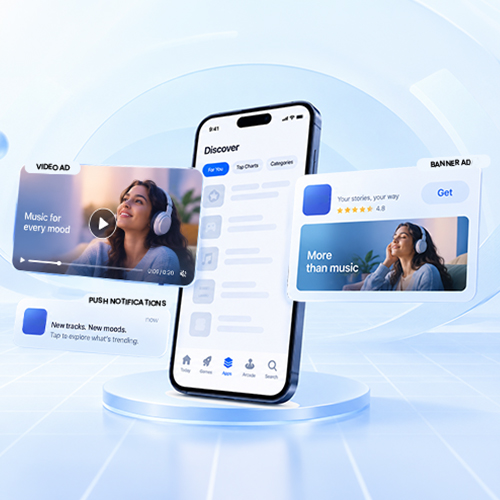
OEM ad formats are advertising placements built into a smartphone manufacturer’s device ecosystem, including icon ads, splash screens, app store recommendations, setup wizard placements, and pre-installs. Unlike conventional in-app ads, OEM advertising appears within native device interfaces, giving app marketers high-visibility, contextually relevant opportunities to drive app discovery, installs, and brand awareness. The right format depends on the campaign goal from icon ads for app discovery and installs to splash screens for broad visibility and setup placements for early user acquisition.
Introduction
Understanding the full spectrum of oem ad formats is crucial for app growth managers looking beyond traditional programmatic channels. Unlike standard in-app placements that compete for limited screen space inside third-party apps, OEM inventory operates across device-native environments controlled or enabled by smartphone manufacturers.
By leveraging native touchpoints integrated directly into smartphones from top manufacturers like Samsung, Xiaomi, OPPO, and Vivo, app marketers can capture potential users at key stages of device usage. The addressable ecosystem is substantial. Android accounted for 67.61% of global mobile operating-system market share in August 2026, according to StatCounter. That makes OEM inventory particularly relevant for app marketers looking to build acquisition strategies around Android’s broad device ecosystem.
Why OEM Ad Formats Get Premium Attention
Traditional display ads suffer from severe banner blindness and user friction. OEM placements solve this by integrating app recommendations directly into native system interfaces. App discovery also operates at enormous scale: nearly 150 billion downloads took place across iOS and Google Play, according to Sensor Tower.

Key reasons why hardware-level inventory captures higher user engagement include:
- Bypass Ad Blockers: Because these formats operate natively within system apps, launcher screens, and setup wizards, they bypass third-party ad blockers in most cases.
- Native Look and Feel: When designed appropriately, OEM placements can integrate naturally with the visual language and interaction patterns of the device environment.
- High-Intent User Context: Touchpoints align naturally with high-intent actions, such as initial phone setup, system updates, or active app searching on the device.

Icon Ads: App-Like Placements on the Home Screen
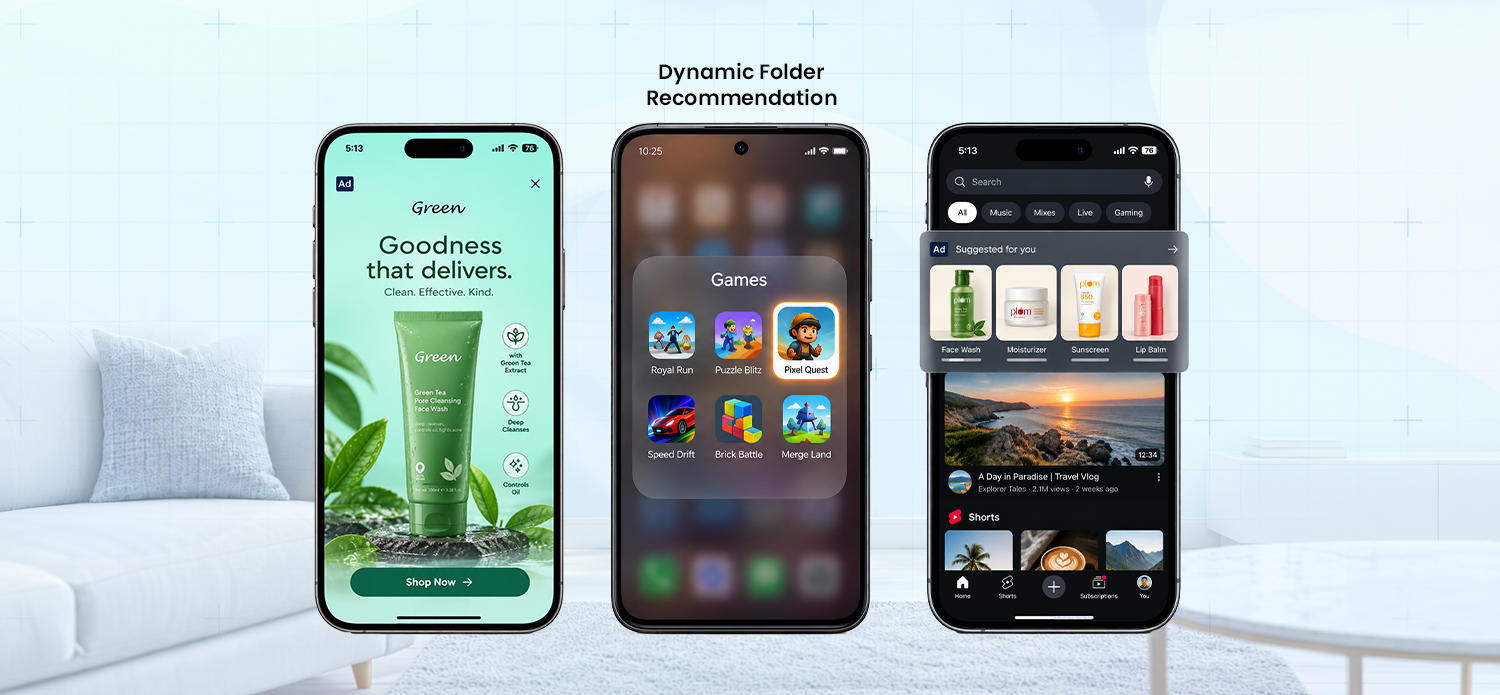
Icon ads are one of the most effective oem ad formats for high-volume user acquisition. Rather than displaying traditional banners, icon ads present your app’s official icon directly within system UI environments.
Key Types of Icon Ads
- Dynamic Folder Recommendations: Native folders (e.g., “Games,” “Utilities,” or “Must-Have Apps”) automatically showcase recommended app icons based on user demographic signals and geography.
- -1 Screen (Left Screen) Icons: Placements featured within the feed screen (accessible with a left swipe from the main home screen), offering high visibility alongside daily news and system widgets.
- App Market Search Recommendations: Instant app icon suggestions displayed when a user opens the manufacturer’s native app store search bar.
*Availability varies by OEM, market, device and campaign setup.
Core Benefits
- Frictionless App Discovery: Depending on the OEM and campaign setup, tapping an icon placement can lead users directly to an app store listing or an available installation flow.
- High Conversion Rates: Delivering subtle home screen advertising seamlessly integrates your app into the user’s daily device experience.
Splash Screen Ads: Full-Screen Attention at Device Startup
When brand impact and immediate recall are paramount, splash screen ads offer unmatched visual ownership.

Splash screen inventory provides full-screen creative visibility within the selected placement by presenting a rich visual or brief video overlay during critical OS touchpoints:
- Selected Device Setup Experiences: Where supported, advertising can appear during designated setup or onboarding flows.
- Native App Launches: Selected system or OEM applications may provide full-screen advertising opportunities when opened.
Because splash screens take up the entire viewport, they deliver instant visual engagement, making them ideal for flagship app launches, regional expansions, and time-sensitive promotional campaigns.
Choosing the Right OEM Format for Your Install Goals
To choose the right OEM format, start with the campaign objective.

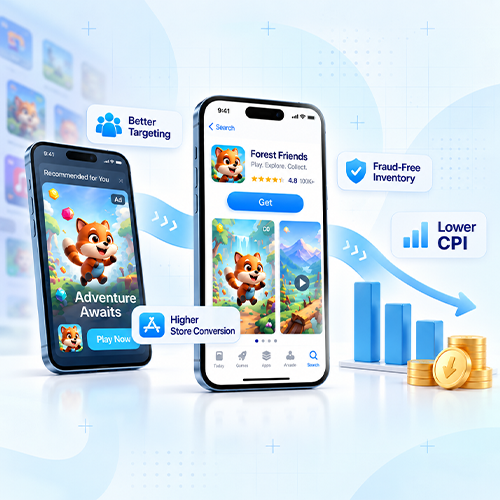
Achieving optimal performance across these diverse formats requires a unified management approach. Managing direct relationships with multiple hardware manufacturers separately introduces complex attribution tracking and siloed budgeting. Navigating OEM ecosystems effectively relies on leveraging a comprehensive app discovery platform to consolidate inventory, streamline attribution, and support campaign optimization.
Note: OEM ad formats and availability can vary by device manufacturer, market, device model, operating environment and campaign agreement. Specific placements should be confirmed with the relevant OEM or advertising platform.
FAQs
What are the different types of OEM ad formats for mobile apps?
OEM advertising formats include icon ads, splash screen ads, app store search recommendations, dynamic folder placements, setup wizard placements, system update placements, and pre-installs.
What is an OEM icon ad and how does it work?
An OEM icon ad places an app’s icon within native device environments such as smart folders, the -1 screen, or the manufacturer’s app store. Users can discover the app and proceed directly to installation or its store listing.
What are splash screen ads on Android devices?
Splash screen ads are full-screen advertising placements shown during selected device or system-app experiences. They give advertisers high Share of Voice and are suited to campaigns focused on visibility, launches, and brand recall.
Where do OEM ads appear on smartphones?
OEM ads can appear across native device touchpoints, including home-screen folders, the -1 screen, app store search, setup flows, system updates, and selected pre-installed applications.
How do OEM ads differ from in-app advertising?
In-app ads appear within third-party applications, while OEM ads are integrated into the device manufacturer’s native ecosystem. OEM placements can therefore reach users through system-level discovery and device-native experiences.
Access Premium OEM Inventory With Applabs
Applabs connects app marketers with OEM and premium device inventory through its App Discovery Platform, helping advertisers manage discovery and acquisition campaigns from a unified environment.